
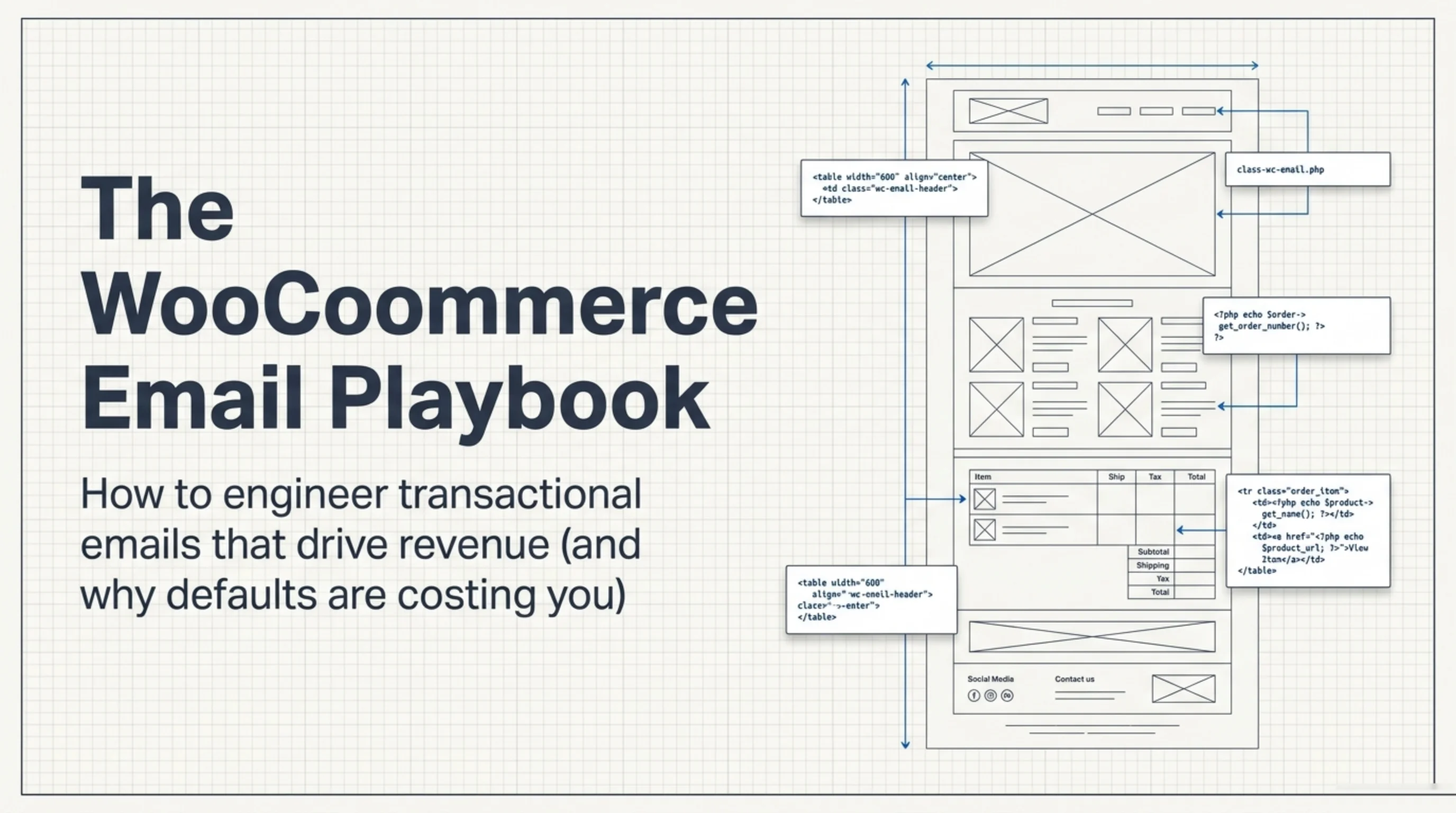
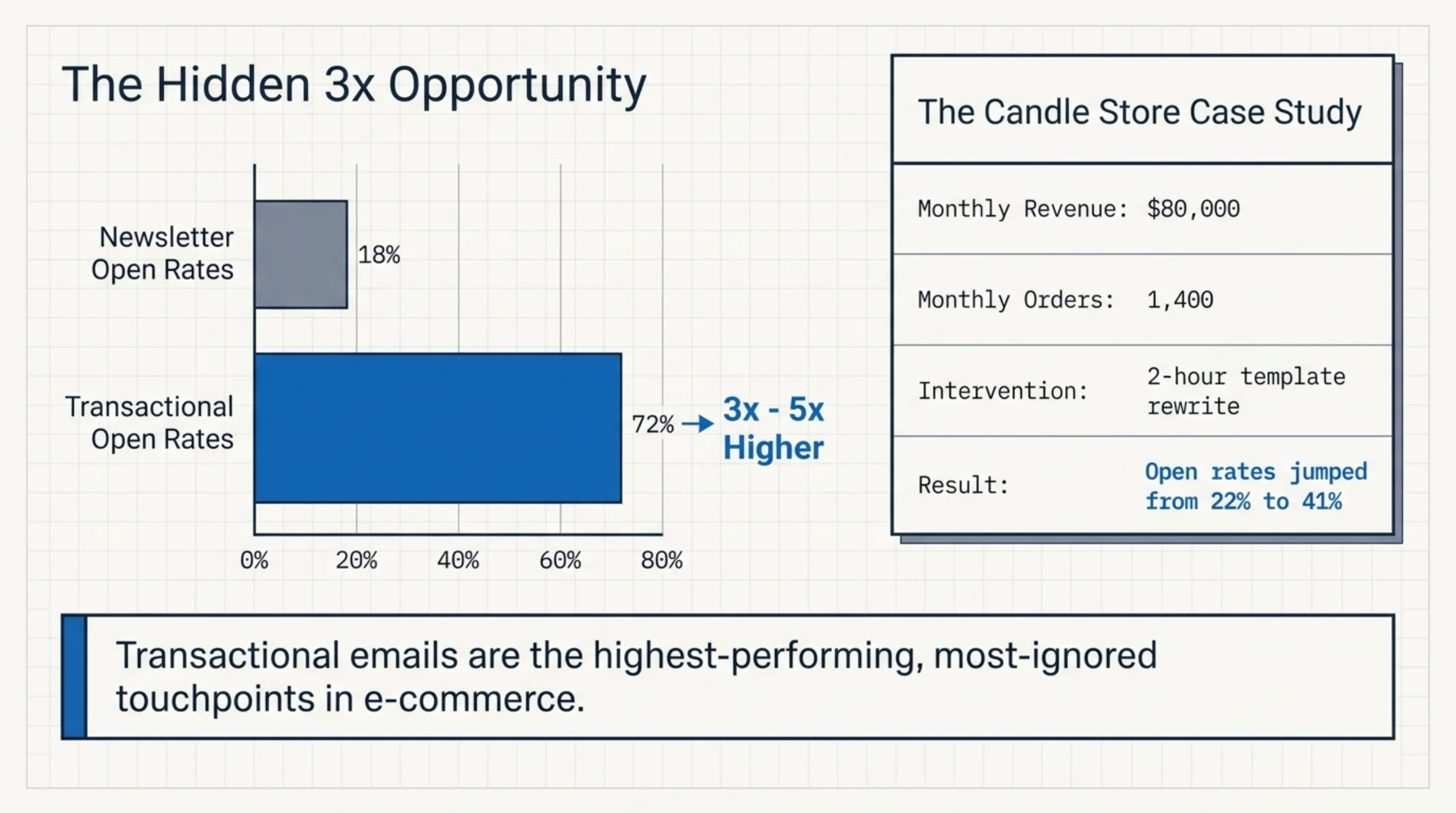
Default WooCommerce emails look like 2014. Plain header bar, beige content box, “Thanks for shopping with us” in whatever font the recipient’s mail client decides to render. Anyone Googling how edit MailPoet WooCommerce email defaults runs into the same affiliate listicles. I rebuilt the email stack for a candle store last December — the owner was running roughly $80K/month across 1,400 orders and had not opened WooCommerce → Settings → Emails once in two years. Open rates went from 22% to 41% after a two-hour template rewrite. Not a sales pitch. A story about how nobody bothers.
Why the WooCommerce email defaults are the wrong starting point
The native WooCommerce email system inherits from class-wc-email.php and renders through the wc_get_template loader, with every option living in the WooCommerce settings reference. Every transactional email (new order, cancelled, processing, completed, customer note, password reset) runs through the same email-header.php and email-footer.php files.
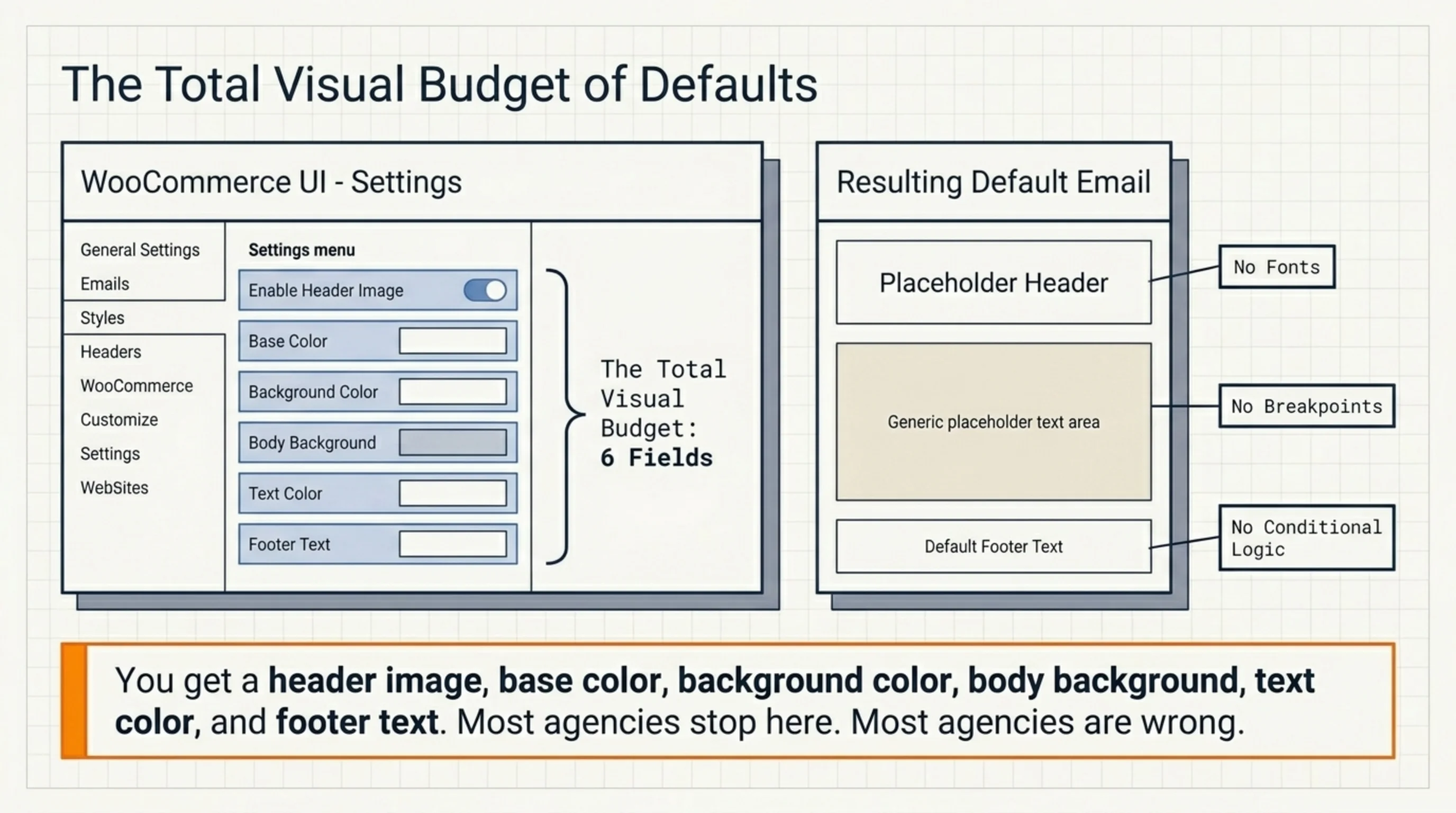
If you only know how to customize WooCommerce emails through the Settings → Emails tab, you are limited to:
- Header image
- Base color
- Background color
- Body background color
- Body text color
- Footer text
Six fields. That is the entire visual budget the dashboard hands you. No fonts. No spacing. No mobile breakpoints. No conditional content. Most agencies stop here and call it done. Most agencies are wrong.
How edit MailPoet WooCommerce email defaults from the dashboard
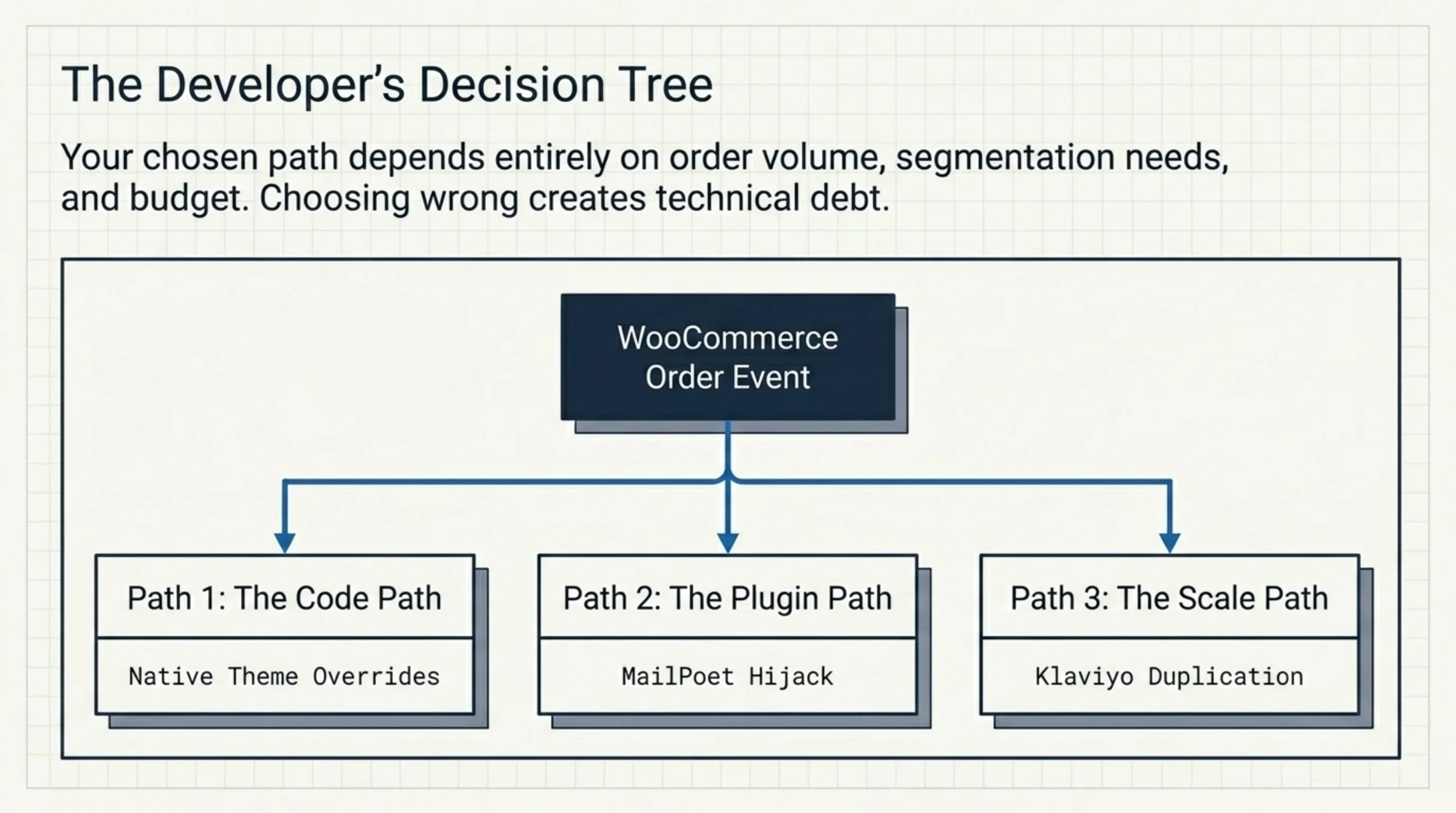
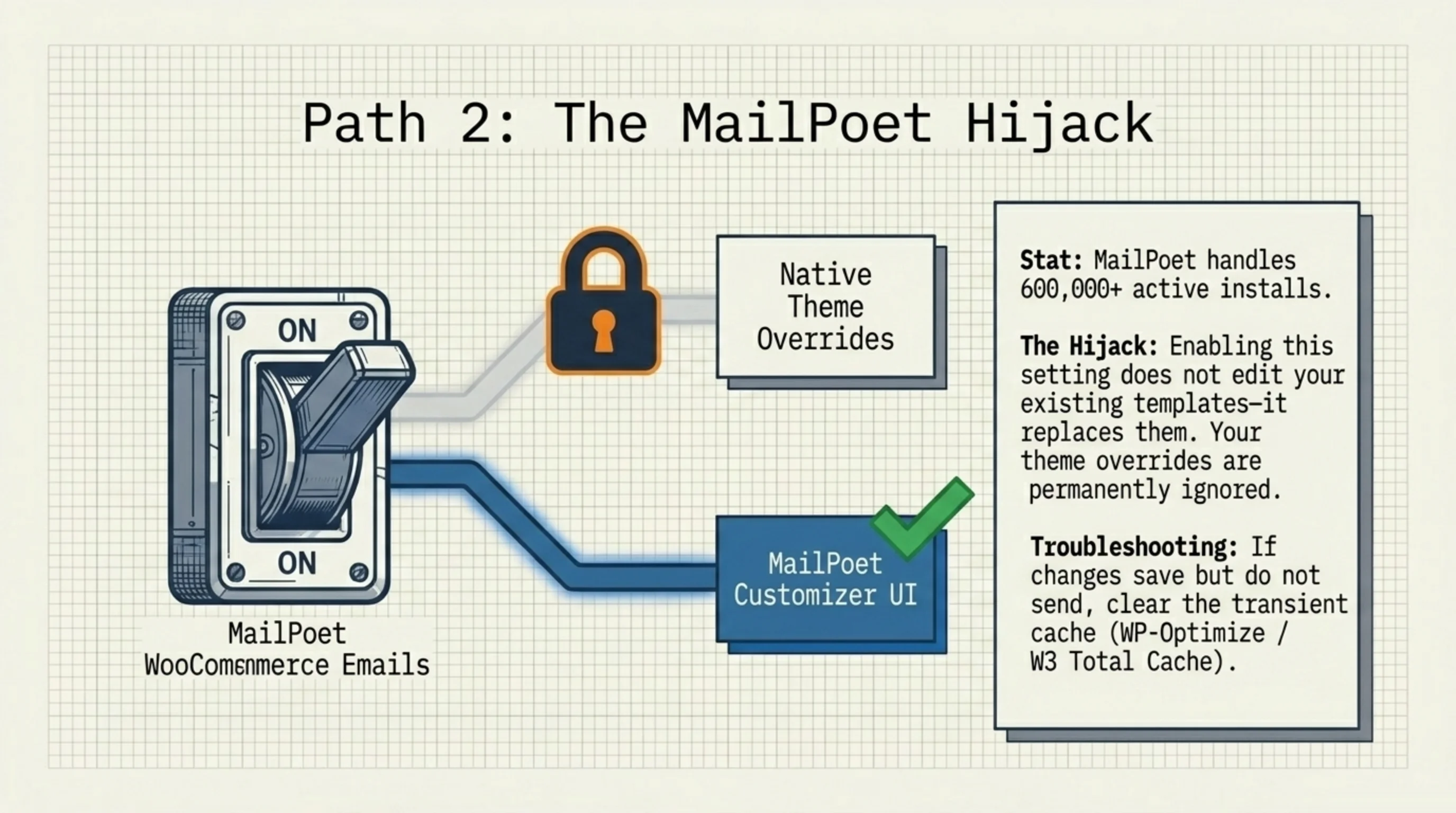
MailPoet is the most installed WooCommerce email plugin on wordpress.org with over 600,000 active installs as of early 2026. It hijacks WooCommerce transactional emails the moment you tick “WooCommerce emails” in MailPoet → Settings → WooCommerce.
Once that checkbox is on, MailPoet does not edit your existing templates. It replaces them. Header, footer, and body wrapper now come from MailPoet → Emails → WooCommerce Emails Customizer. Your wp-content/themes/your-theme/woocommerce/emails/ overrides are ignored.
This is the part that confuses people. They learn how edit MailPoet WooCommerce email layouts, edit template files in their child theme, and wonder why nothing changes.
To actually edit a transactional email through MailPoet:
- Go to MailPoet → Settings → WooCommerce and confirm “WooCommerce emails” is enabled.
- Visit MailPoet → Emails → WooCommerce Emails Customizer.
- Pick the email type (New Order, Processing, Completed, Cancelled, Refunded, Failed, On Hold, Customer Invoice, Customer Note).
- Use the drag-and-drop editor. The 600px content width is the same email-client limit you would hit anywhere else; do not fight it.
- Hit Save & Activate. MailPoet flips an option in the database that overrides
wc_mail().
If changes save but never appear in test sends, clear transient cache. WP-Optimize and W3 Total Cache both cache email output for some reason.
How to edit WooCommerce emails without MailPoet (native code path)
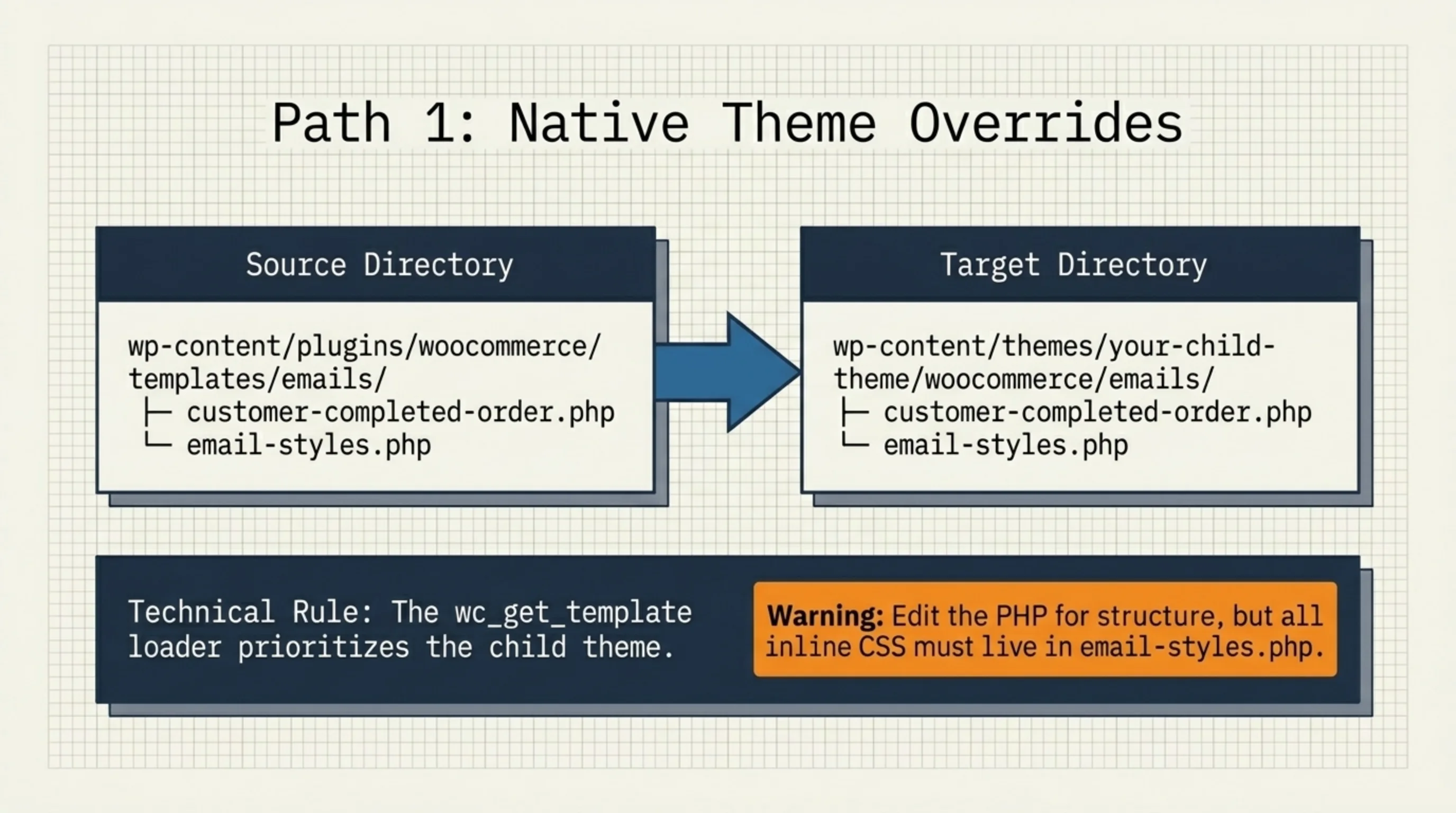
If MailPoet is overkill — and for a store under 500 orders/month with no segmentation needs, it usually is — you can edit WooCommerce emails directly through theme overrides. This is the path I take on most builds because it touches one fewer plugin.
The override path is documented in the WooCommerce template structure guide. Short version:
wp-content/themes/your-child-theme/woocommerce/emails/
├── customer-completed-order.php
├── customer-processing-order.php
├── customer-on-hold-order.php
├── email-header.php
├── email-footer.php
└── email-styles.php
Copy any file from wp-content/plugins/woocommerce/templates/emails/ into your child theme’s woocommerce/emails/. WooCommerce loads the child theme version through wc_get_template. Edit the PHP. Done.
Warnings from production builds:
email-styles.phpholds the inline CSS. Mail clients ignore external stylesheets and most strip<style>blocks. Inline everything that matters.- Outlook 2016 and 2019 still render via Word. Float layouts collapse. Use tables.
- Gmail clips messages over 102KB.
- The
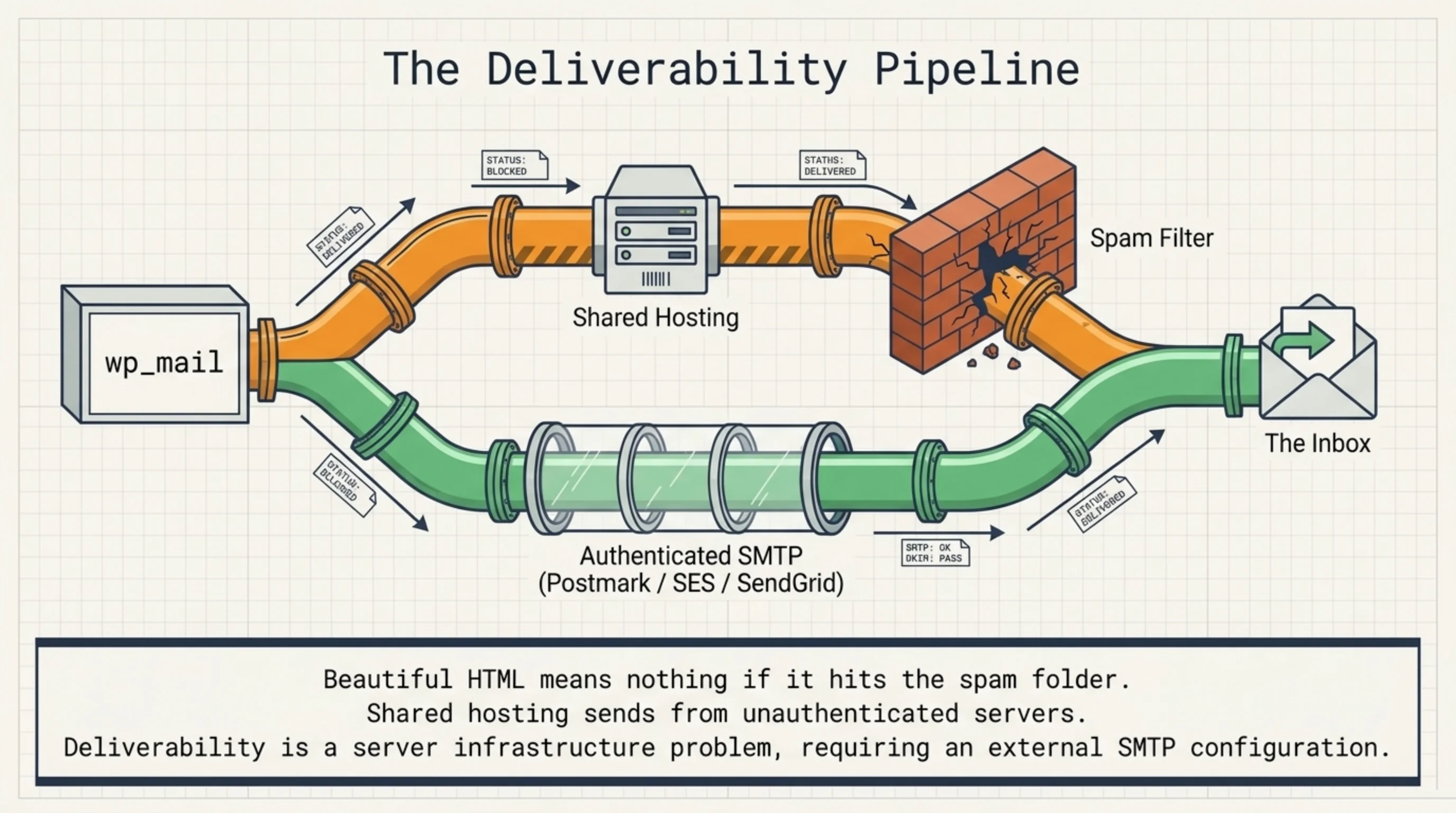
wp_mailfunction is the actual sender. On shared hosting, transactional mail goes to spam regardless of template polish. Set up SMTP through Postmark or Amazon SES.
Anyone trying to figure out how edit MailPoet WooCommerce email behavior on a store using this native path is in for confusion: with MailPoet’s WooCommerce takeover off, your overrides come back to life. With it on, they do not.
How to customize WooCommerce email template files with real CSS
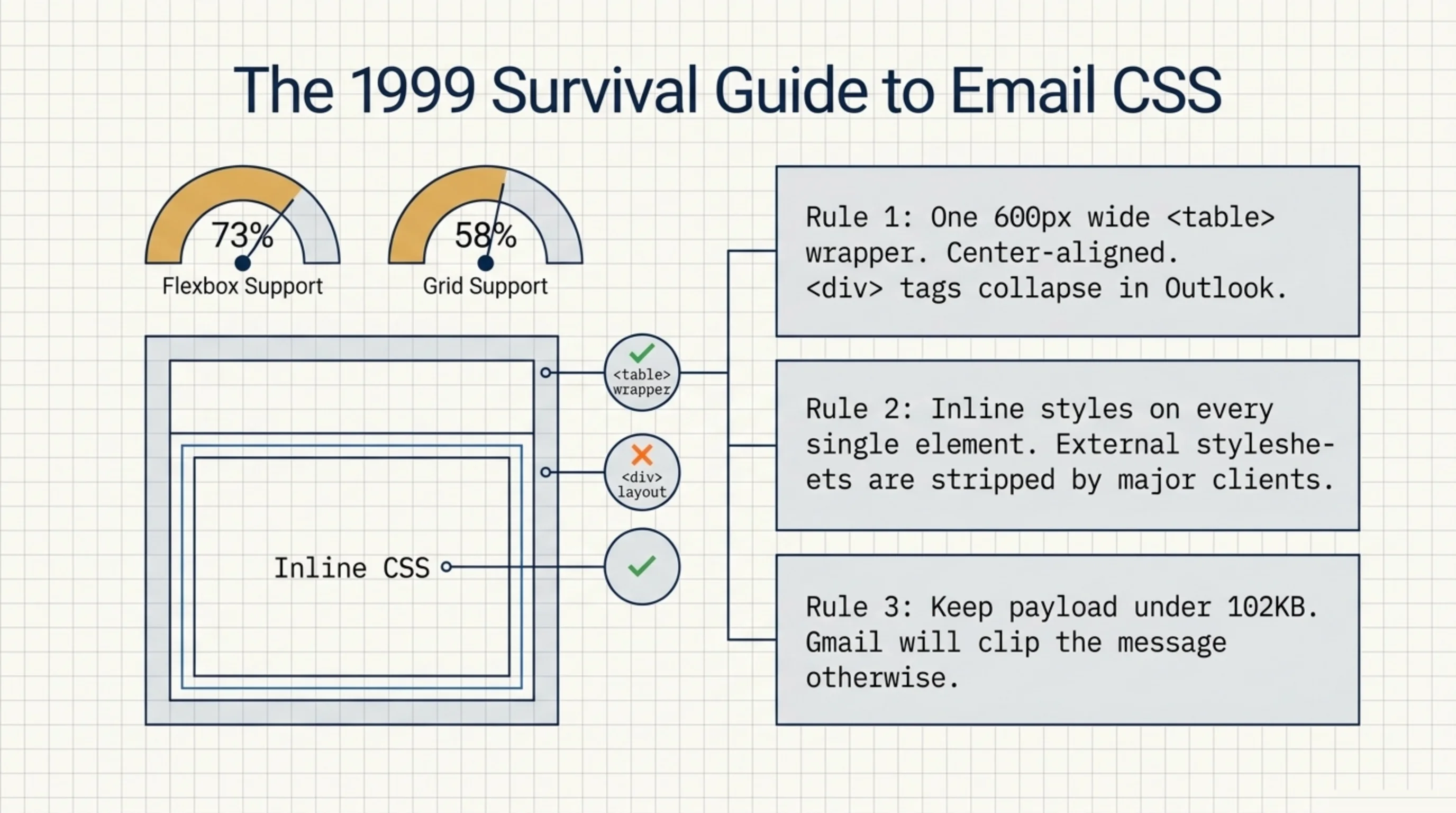
The biggest mistake in custom email templates is using modern CSS. Flexbox, grid, clamp(), custom properties: almost none of it works in mail clients. As of late 2025, Can I Email shows flexbox at roughly 73% client support and grid at 58%. Those numbers sound okay until you remember “client support” includes Apple Mail and major webmail but excludes the entire Outlook desktop family.
For an actual production email, the rules I follow:
- One 600px wide table wrapper, center-aligned with
align="center". - Inline styles on every element. Yes, every element.
<table>for layout, not<div>.- Web fonts via
@importwill fail in Outlook. Provide a fallback stack. - Bulletproof button HTML for buttons. Campaign Monitor’s buttons.cm tool generates them.
The WooCommerce default template is closer to “correct” than people think — ugly because it is generic, not because it is broken. Strip the gray box, change the typography, ship.
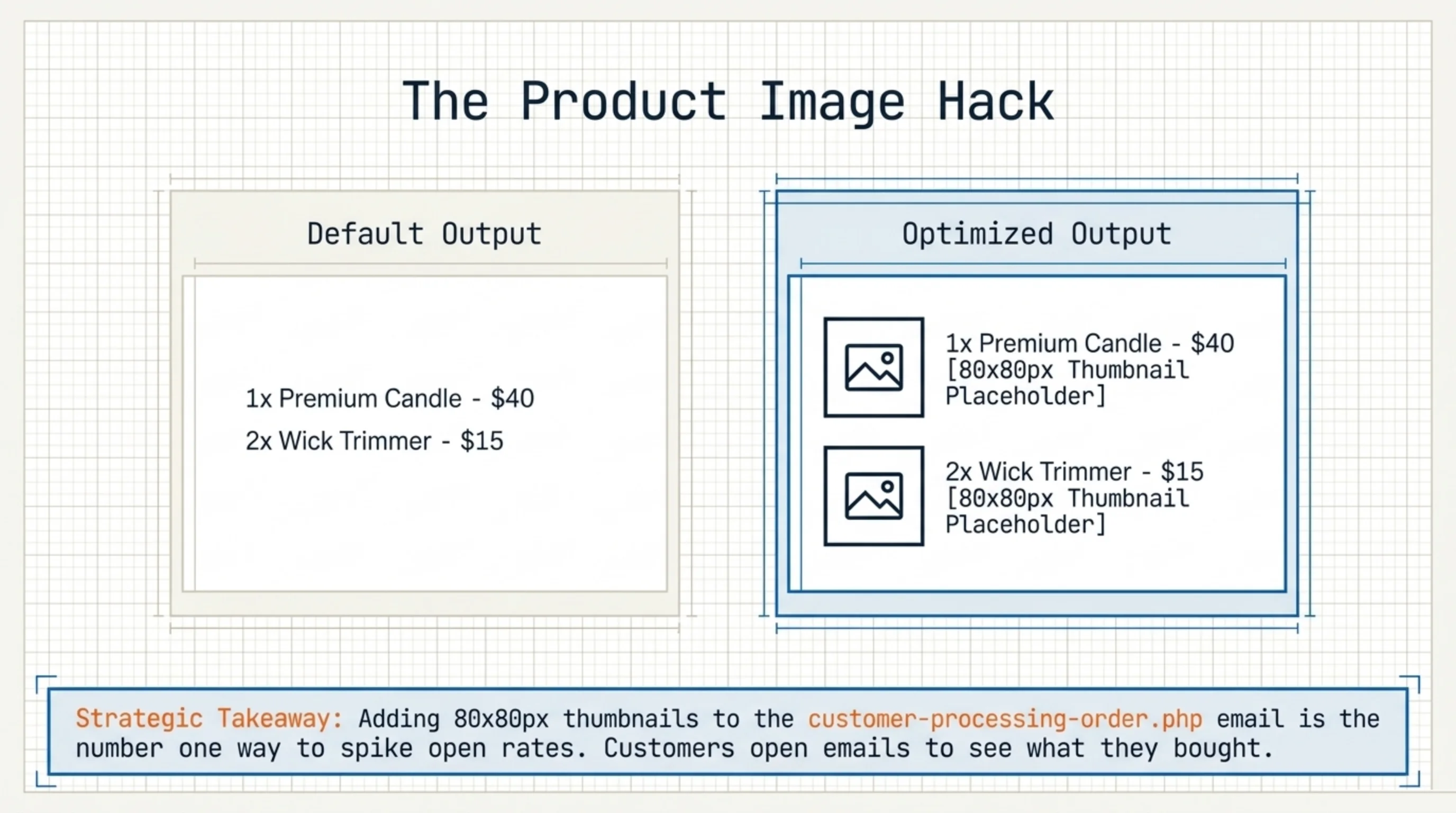
I rewrote the candle store’s customer-processing-order.php to include the order’s product images at 80×80px. Most templates skip this; order items render as text only. Open rate jumped before any other change shipped. People want to see what they bought.
Does Klaviyo have embedded form WooCommerce support, and is it worth it?
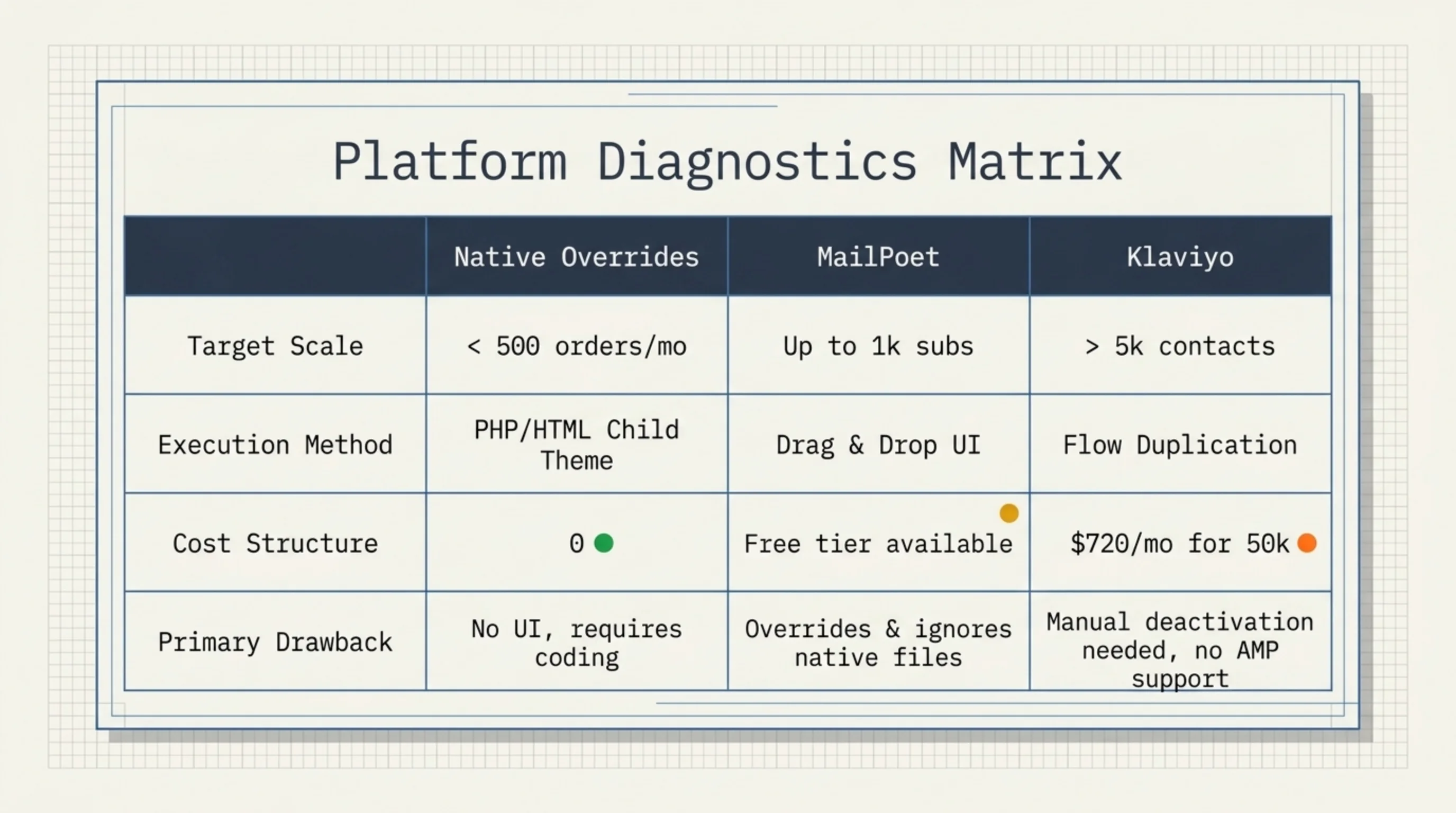
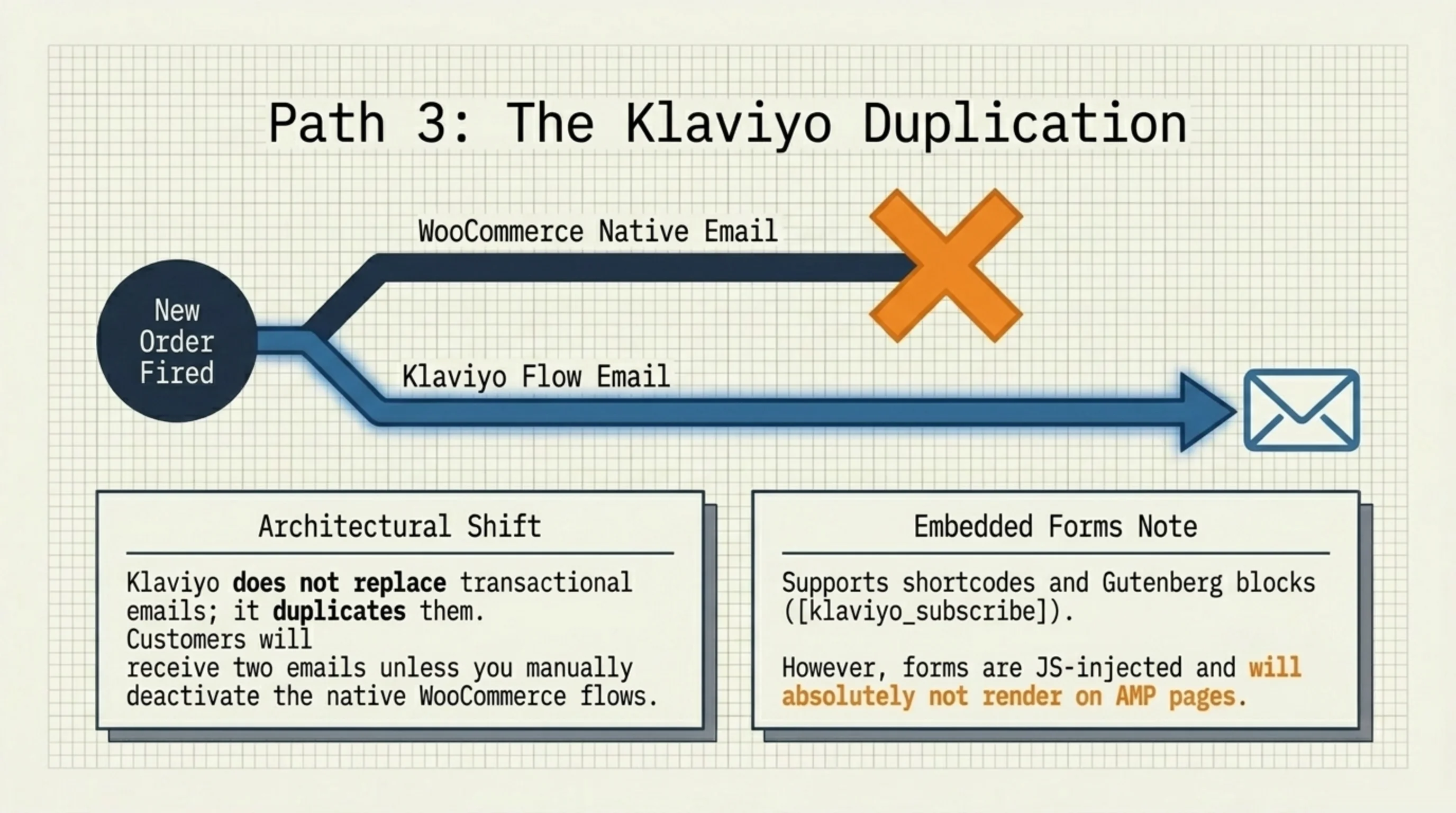
Klaviyo takes a different approach: rather than replacing WooCommerce transactional emails, it duplicates and upgrades them as flows. New Order, Shipping Confirmation, Cancelled Order, Refunded Order, Abandoned Cart, Browse Abandonment all exist out of the box.
So, does Klaviyo have embedded form WooCommerce support? Yes. The plugin ships a [klaviyo_subscribe] shortcode and a Gutenberg block, and you can drop signup forms anywhere a shortcode renders: sidebar widget, product page, post content, even checkout via custom hooks. Any subscriber on the linked list gets the configured flows automatically.
Two things people miss when comparing Klaviyo to MailPoet:
- Klaviyo charges by contact count. A store with 50,000 customers pays roughly $720/month minimum on Klaviyo’s pricing as of January 2026. MailPoet’s WooCommerce plan is flat per site.
- Klaviyo’s embedded forms are JavaScript-injected. They will not render inside AMP pages.
For under 5,000 contacts, Klaviyo is overkill, and for real segmentation work, MailPoet is not in the same league. Push back if your data says otherwise.
Tracking how edit MailPoet WooCommerce email changes affected open rates
The whole point of all of this is open rate, click-through, and revenue per email. Native WooCommerce gives you nothing here. MailPoet has a Stats tab that shows opens and clicks per campaign but does not connect them back to order revenue. Klaviyo connects everything but you pay for it.
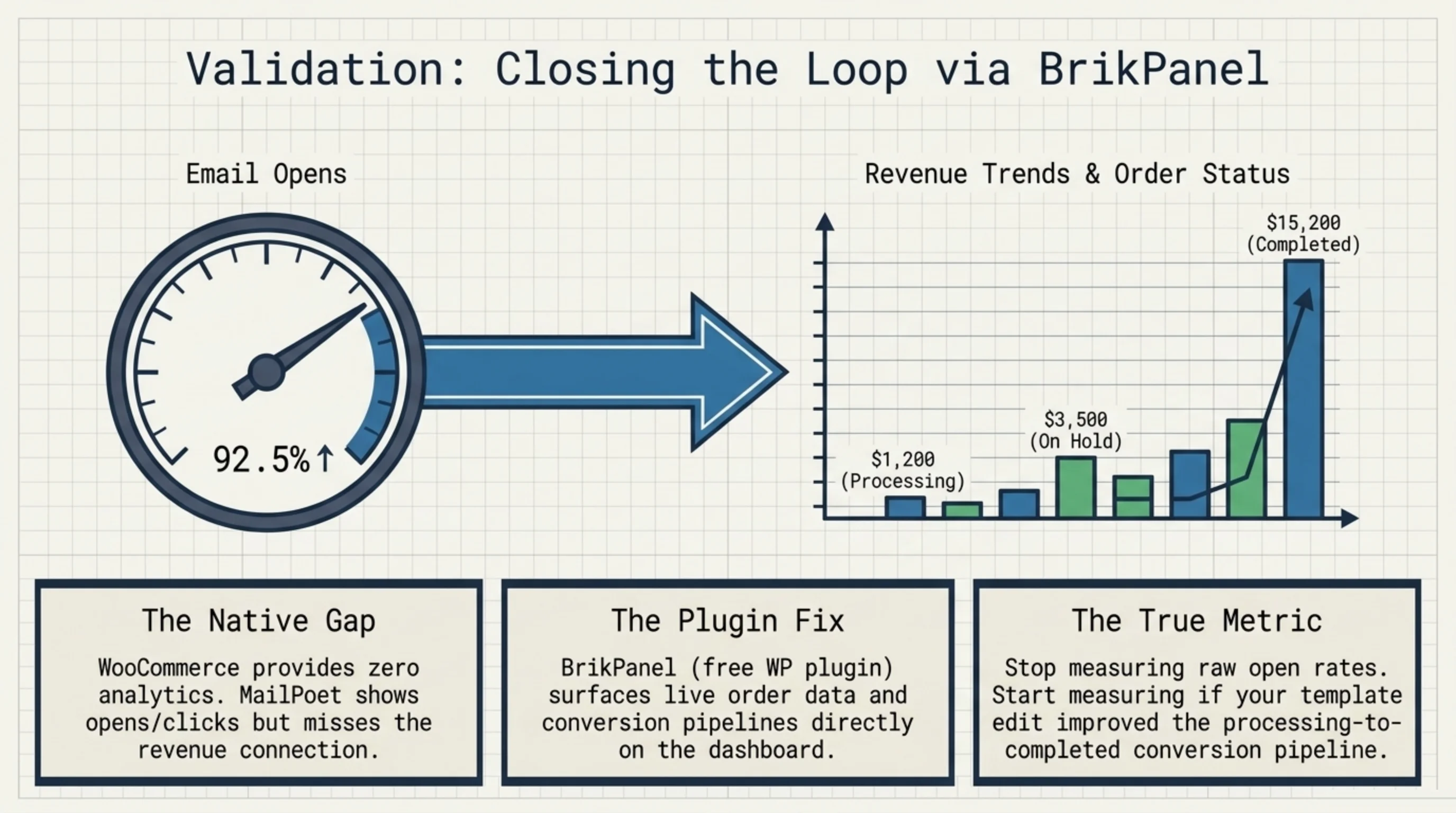
For stores on the native MailPoet flow without Klaviyo’s pricing, I install BrikPanel on most builds because it surfaces order data on the WP dashboard the moment you log in. The connection is indirect: it does not send emails or measure opens directly. What it shows is the conversion side: orders by status, revenue trends, customer counts. So when you edit a template and tell yourself “open rate jumped 19 points,” you can also see whether processing-to-completed actually improved.
MailPoet’s own dashboard handles raw opens fine. If you want to see whether learning how edit MailPoet WooCommerce email templates translated into completed orders, you need order-side visibility too.
The customer note email is one most stores never edit because they assume it is rarely sent. On a store I audited in February 2026 (~600 orders/month), 38% of orders received at least one customer note over their lifecycle, making it the second-most-sent transactional after order completion. The order-status breakdown on the dashboard is what made me notice. Edit it.
Common mistakes when learning how edit MailPoet WooCommerce email behavior
From the last six months of audits:
| Mistake | What happens | Fix |
|---|---|---|
| Editing template files with MailPoet enabled | Changes do not render | Disable MailPoet’s WC takeover or edit through MailPoet UI |
Using <div> for layout | Outlook collapses everything | Use <table> |
| External stylesheet | Stripped by every major client | Inline all styles |
| No SMTP plugin | Emails go to spam | Configure Postmark, SES, or SendGrid |
| Header image over 600px | Mobile rendering breaks | Resize to 600px, save as PNG |
That covers the operational mistakes. The strategic one is treating transactional email as a low-priority touchpoint. From every audit I have run, transactional emails outperform newsletter open rates by 3-5x. Most stores leave them at default anyway.
FAQ
Ready to track what your email edits actually do?
BrikPanel is a free WordPress plugin that brings WooCommerce order data, revenue trends, and customer breakdowns onto the WP admin dashboard the moment you log in. After you finish learning how edit MailPoet WooCommerce email templates, BrikPanel’s dashboard widgets show whether the changes converted: orders by status, revenue per day, customer counts over time. Install BrikPanel from the WordPress repository.
No. The moment you enable MailPoet’s WooCommerce email override, your child theme’s woocommerce/emails/ files stop loading. If you want to keep your overrides, leave the MailPoet WooCommerce setting unchecked. If you want MailPoet’s editor, accept that knowing how edit MailPoet WooCommerce email templates means working through the MailPoet UI, not theme files.
Not by default. Klaviyo flows duplicate the WooCommerce events, so unless you disable WooCommerce’s native emails in Settings → Emails, customers receive both. The fix is to deactivate the WooCommerce versions for any flow Klaviyo handles, usually New Order, Cancelled Order, and Refunded Order.
Use a staging copy of the site and a service like Mailtrap or WP Mail Logging to capture outgoing mail. MailPoet also has a “Send a Test Email” button on every template.
600 pixels wide. Larger gets resized on mobile and looks soft. PNG over JPG for clean logo edges. Keep it under 100KB to stay clear of the Gmail 102KB clip.
Almost always SMTP, not the template. Shared hosting sends from an unauthenticated server, so Gmail and Outlook flag the message regardless of how clean the HTML is. Configure SMTP through Postmark, SES, or SendGrid and set SPF, DKIM, and DMARC on your sending domain. Deliverability is a server problem.
Up to 1,000 subscribers, yes. Past that you need a paid plan. Transactional emails like order confirmations are not subject to the subscriber cap on either plan, so even on free MailPoet you can edit and send them indefinitely.
Sources Used
- WooCommerce settings reference: dashboard email customization fields and the Settings → Emails tab.
- WooCommerce template structure: child theme override path and
wc_get_template. - MailPoet on wordpress.org: active install count and feature reference.
- Klaviyo on wordpress.org: shortcode and Gutenberg block availability.
wp_mailreference: underlying mail function and SMTP context.- Can I Email: flexbox and grid client support percentages.
- WP Mail Logging: capture tool for staging tests.
- BrikPanel WooCommerce dashboard: order-side visibility for email change tracking.
